
Moonwin App: Install and play in Austarlia
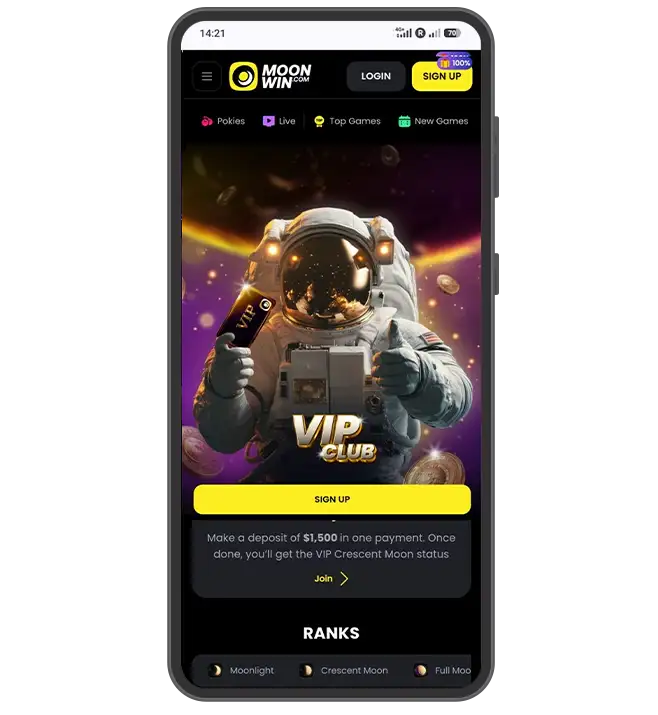
The Moonwin App delivers a welcome package up to AUD 7,500 + 180 free spins across three deposits for Australian players. Access over 3,000 casino games through the mobile-optimised web version compatible with iOS and Android devices. The Moonwin app interface works through any modern browser without requiring a download from app stores. Visit the official site on your mobile device, tap the menu icon, and add the shortcut to your home screen to start playing instantly.

In this article
- About Moonwin App
- How to Download Moonwin for Android
- How to Download Moonwin for iOS
- Moonwin Mobile App Top Features
- Betting Options in Moonwin App
- How to Register in Moonwin App
- Bonuses and Promotions in Moonwin App
- Payment Options in Moonwin App
- How to Deposit Money via the Moonwin App?
- How to Withdraw Money via the Moonwin App?
- Moonwin Mobile Version
- FAQ
About Moonwin App
The Moonwin casino app is receiving positive user reviews for the convenience of its mobile version. Access to the mobile version is available via browsers on Android and Safari on iOS, utilizing Progressive Web App (PWA) technology.
| Feature | Details |
|---|---|
| Official Name | MoonWin Casino |
| Year of Launch | 2023 |
| Licence | Curacao (OGL/Antillephone), Tobique Gaming Commission (0000002) |
| Owner/Operator | Dama N.V. |
| Welcome Bonus | Up to AUD 7,500 + 180 Free Spins |
| Supported OS | Android browser, iOS Safari PWA |
| App Size | N/A (PWA) |
| Languages | English, German, French, Italian, Norwegian |
| Minimum Deposit | AUD 30 |
| Currencies | AUD, EUR, USD, CAD, NZD, BTC, ETH, USDT, LTC, DOGE |
| Customer Support | [email protected], Live Chat 24/7 |
How to Download Moonwin for Android
Android users in Australia cannot access Moonwin through Google Play. The platform operates as a Progressive Web App (PWA), which allows visitors to install a shortcut directly from the browser. This approach enables quick access to the casino without traditional app stores.
Australian players can complete the Moonwin download process through these steps:
- Open the mobile browser. Launch Chrome or another preferred browser on the Android device.
- Visit the official address. Navigate to the official website by entering the URL in the address bar.
- Access the browser menu. Tap the three-dot icon in the top-right corner of the screen.
- Select the installation option. Choose "Add to Home screen" or "Install app" from the dropdown menu.
- Confirm the action. Tap "Add" or "Install" when the confirmation prompt appears.
- Locate the icon. Find the Moonwin shortcut on the home screen alongside other applications.
- Launch the application. Tap the icon to open the web app and start playing.
System Requirements
The Moonwin app functions through a mobile-optimised web version accessible on Android devices with standard specifications.
| Parameter | Requirement |
|---|---|
| Minimum Android Version | Android 7.0 or higher |
| Free Storage | 100 MB available space |
| RAM | 2 GB minimum |
| Internet Connection | Stable broadband or 4G/5G |
| Supported Browser | Chrome, Firefox, Safari, Opera |
Suitable Devices
The MoonWin app runs smoothly on a wide range of Android devices available across Australia.
- Samsung Galaxy series;
- Google Pixel smartphones;
- Xiaomi and Redmi models;
- OPPO handsets;
- vivo devices;
- Motorola phones.
All listed brands require current Android versions for optimal performance.
How to Download Moonwin for iOS
The iOS version operates as a PWA through Safari browser. Australian players access the full casino features without visiting the App Store.
Follow these steps to set up the Moonwin download app on your device:
- Open Safari browser on your iPhone or iPad and navigate to the official Moonwin Casino website.
- Tap the Share icon at the bottom of the Safari screen.
- Scroll down and select "Add to Home Screen" from the menu options.
- Enter a custom name for the shortcut or keep the default "Moonwin" title.
- Tap "Add" in the top-right corner to create the icon on your home screen.
- Locate the new MoonWin icon among your apps.
- Launch the Moonwin download app directly from your home screen to start playing 3,000+ games.
System Requirements
The PWA version of the Moonwin application demands specific technical parameters to function correctly on iOS devices in Australia.
| Requirement | Specification |
|---|---|
| Minimum iOS version | iOS 14.0 or later |
| Free storage space | At least 100 MB |
| Internet connection | Stable broadband or mobile data |
| Safari browser version | Safari 14.0 or newer |
Suitable Devices
The Moonwin app functions on various Apple hardware released from 2017 onwards.
- iPhone 8 and all subsequent models;
- iPhone SE 2nd generation (2020);
- iPhone SE 3rd generation (2022);
- iPad Pro (all versions from 2017);
- iPad Air (3rd generation and later);
- iPad mini (5th generation and later);
- iPad (6th generation and later).
Moonwin Mobile App Top Features
Australian players choose the mobile-optimised version of Moonwin for instant browser access without native app stores. The progressive web application (PWA) option allows users to add a shortcut to their home screen and access the casino lobby directly. Those who prefer Moonwin app download for Android can install the PWA from the mobile browser with one tap.
Key features of the mobile solution include:
- Casino lobby with 3,000+ games from 30+ providers, which includes slots, table games, and jackpot titles;
- Live casino with Evolution Gaming dealers and real-time streaming;
- Fast and crash games from Spribe and other studios;
- AUD deposits and withdrawals via MiFinity, AstroPay, and bank transfer;
- Crypto support for Bitcoin, Ethereum, Tether, Litecoin, and Dogecoin;
- VIP program with five ranks, cashback up to 12.5%, and exclusive rewards;
- Daily missions with 100+ tasks and weekly prizes;
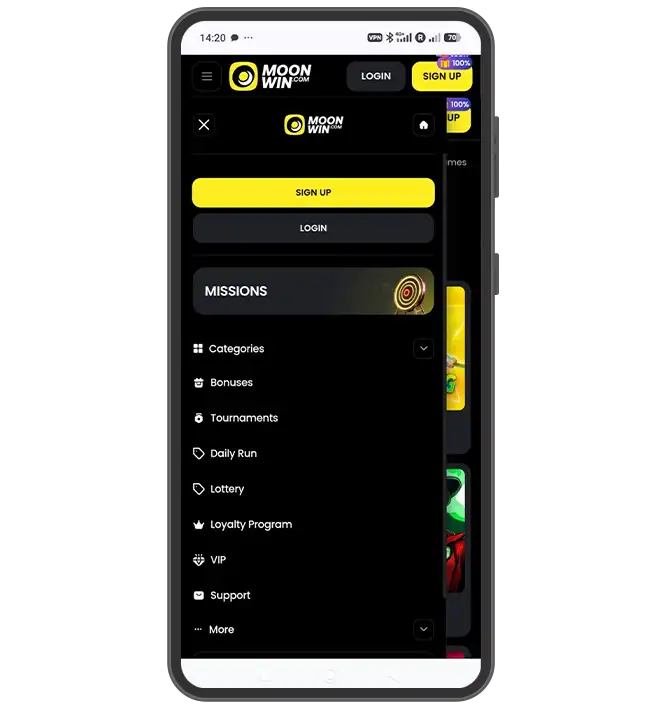
- Fast navigation with optimised menus and touch-friendly controls;
- 24/7 live chat for instant support and account assistance.
Betting Options in Moonwin App
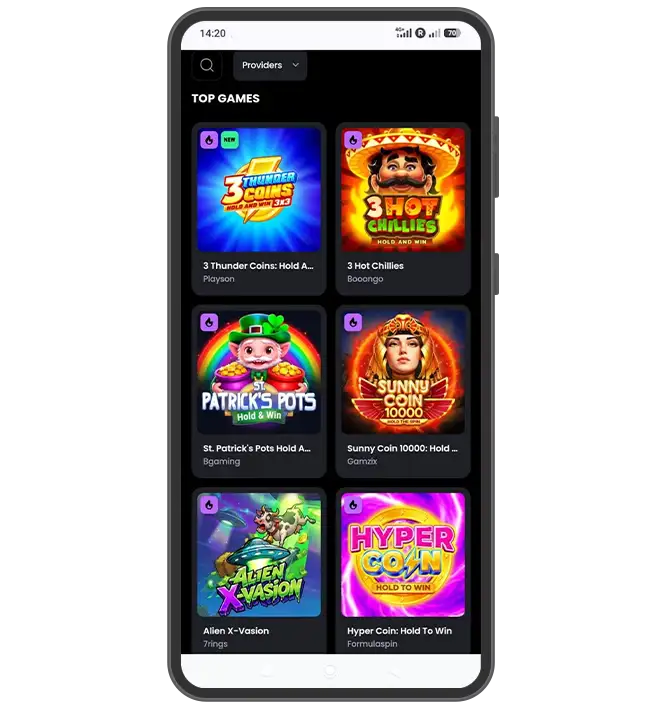
The Moonwin app provides Australian players with access to over 3,000 casino-style games across multiple categories. Pokies dominate the selection, with Megaways mechanics and Bonus Buy features available through top providers such as Pragmatic Play, Nolimit City, and Hacksaw Gaming. Live casino tables powered by Evolution Gaming offer real-time dealer action, and players can explore classic table games, fast-paced crash games from Spribe, and progressive jackpot slots.
The platform focuses exclusively on casino entertainment and does not provide any sportsbook functionality, odds, or event wagering of any kind. Australians will find a diverse range of gambling content designed for mobile and desktop play through the responsive web application.
How to Register in Moonwin App
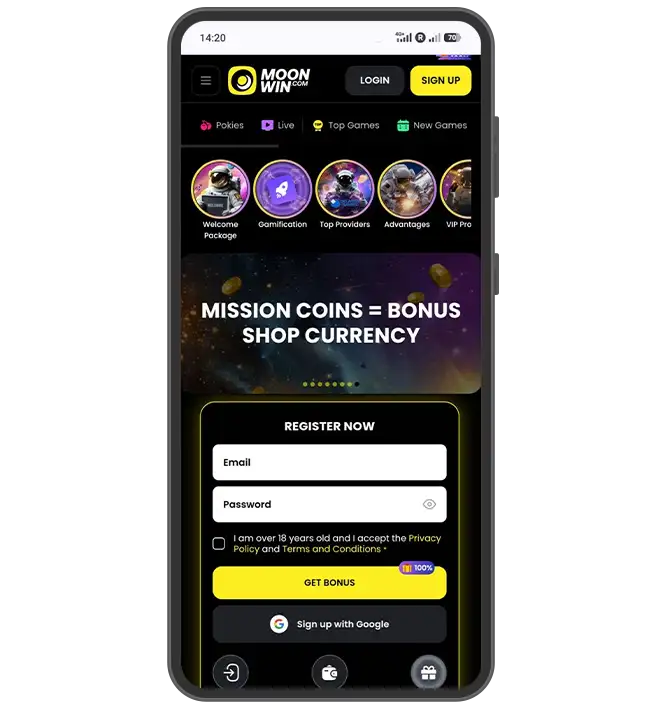
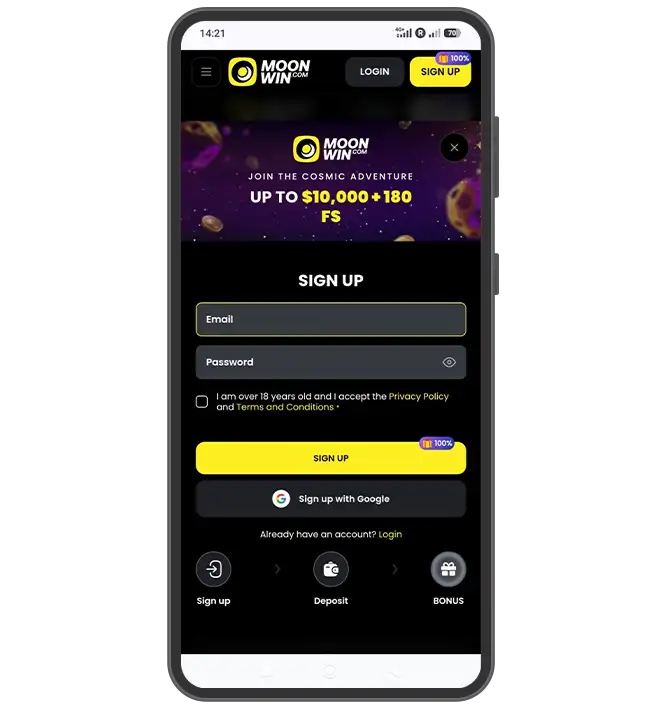
Account creation takes just minutes after Moonwin app download for iOS or Android device access. Players can sign up through email or choose the one-tap Google account option.
Getting started in the registration process requires several straightforward actions:
- Open the Moonwin website. Navigate to the official casino page through a browser or the downloaded application.
- Tap the Sign Up button. Locate the registration option at the top right corner of the screen.
- Enter your email and password. Provide valid credentials and create a strong password for account security.
- Select AUD as your currency. Choose Australian dollars from the available currency options.
- Confirm your age. Tick the box to verify you are 18 years or older.
- Verify your email. Open the confirmation link sent to your registered email address.
- Choose Google registration as an alternative. Select the one-tap Google account option for faster account creation.
Bonuses and Promotions in Moonwin App
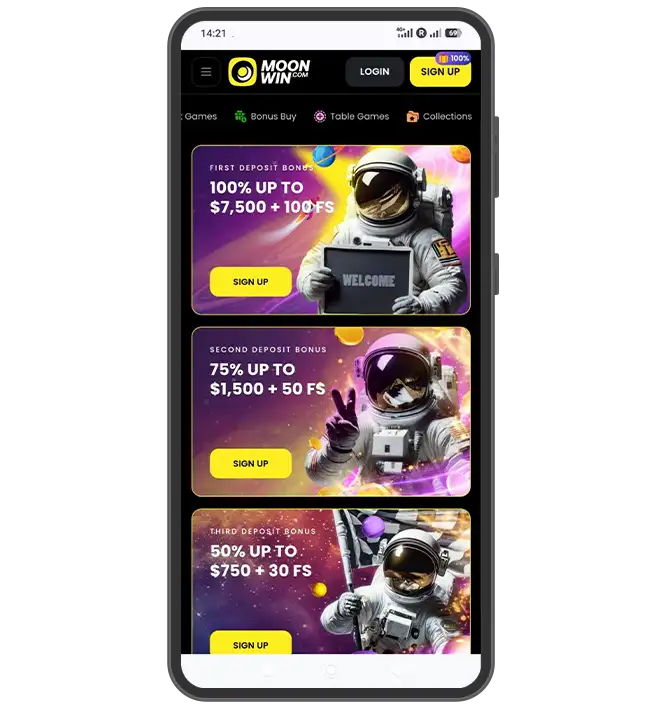
The platform offers a welcome package worth up to AUD 7,500 plus 180 free spins across three deposits. Players must meet a 40x requirement on both bonus amounts and free spin winnings within 5 days. Fast-track VIP access activates with a single deposit of AUD 1,500 or more.
Popular promotional offers include the following options:
| Bonus Offer | Terms and Reward |
|---|---|
| First Deposit | 100% match up to AUD 7,500 + 100 free spins |
| Second Deposit | 75% match up to AUD 1,500 + 50 free spins |
| Third Deposit | 50% match up to AUD 750 + 30 free spins |
| Daily Missions | Rewards for completing tasks (100+ tasks available weekly) |
| Monday Reload Spins | Up to 100 extra rounds |
| Wednesday Reload Spins | Up to 100 additional rounds |
| Game of the Month | Up to 75 free spins |
| VIP Lunar Tuesday | 50, 75, or 100 high-value free spins |
| VIP Solstice Bonus | 75% deposit match |
| VIP Galactic Boost | 50% match + 50 free spins |
Payment Options in Moonwin App
Moonwin App accepts AUD transactions for Australian players. The casino charges 0% fees on all deposits and withdrawals. All deposits require x3 wagering turnover before withdrawal requests can be processed.
The table below outlines minimum deposit and withdrawal amounts in Australian dollars, transaction limits, and processing timeframes for each available method:
| Method | Min Deposit in AUD | Min Withdrawal in AUD | Main Limits | Typical Processing Time |
|---|---|---|---|---|
| Visa/Mastercard | AUD 30 | Not available | AUD 6,000 max deposit | Instant / N/A |
| Neosurf | AUD 30 | Not available | AUD 6,000 max deposit | Instant / N/A |
| MiFinity | AUD 30 | AUD 30 | AUD 3,750 max both ways | Instant / Up to 24 hours |
| CashToCode | AUD 30 | Not available | AUD 1,500 max deposit | Instant / N/A |
| Flexepin | AUD 30 | Not available | AUD 500 max deposit | Instant / N/A |
| AstroPay | AUD 30 | AUD 30 | AUD 6,000 max both ways | Instant / Up to 24 hours |
| Bank Transfer | Not available | AUD 200 | AUD 6,000 max withdrawal | N/A / 3-5 business days |
| BTC | Variable crypto amount | AUD 30 | AUD 6,000 max withdrawal | Instant / Up to 1 hour |
| ETH | Variable crypto amount | AUD 30 | AUD 6,000 max withdrawal | Instant / Up to 1 hour |
| USDT | Variable crypto amount | AUD 30 | AUD 6,000 max withdrawal | Instant / Up to 1 hour |
| LTC | Variable crypto amount | AUD 30 | AUD 6,000 max withdrawal | Instant / Up to 1 hour |
| DOGE | Variable crypto amount | AUD 30 | AUD 6,000 max withdrawal | Instant / Up to 1 hour |
How to Deposit Money via the Moonwin App?
Players can fund their accounts with a minimum of AUD 30 across all available options. Cards, e-wallets, vouchers, and cryptocurrency transactions receive instant processing through the mobile site or PWA.
- Log in to your account through the mobile browser or PWA application.
- Open the Cashier section from the main menu.
- Choose your preferred payment method from the 10 available options.
- Enter the amount you wish to deposit starting from AUD 30.
- Confirm the payment details and complete the transaction.
- Check your updated balance in the account overview.
How to Withdraw Money via the Moonwin App?
Players can request withdrawals via the available payment methods, bank transfer, and in cryptocurrencies.
The process follows several straightforward steps:
- Opening the Cashier section. Access the banking area through the main menu of the application.
- Selecting the Withdraw option. Tap on the withdrawal tab to view available payout methods.
- Choosing a payment method. Pick from MiFinity, AstroPay, bank transfer, or cryptocurrency options.
- Entering the amount. Input the desired sum within daily AUD 7,500 and monthly AUD 30,000 limits.
- Confirming the request. Review all details and submit the withdrawal form.
- Tracking the status. Monitor progress through the transaction history section until completion.
Moonwin Mobile Version
The browser-optimised version runs smoothly on Android and iOS devices without a native download. Responsive layout adapts to screens of all sizes, which grants instant access to the full casino lobby with 3,000+ titles, live dealer tables, and all promotional offers.
Players can fund accounts with AUD or cryptocurrency options such as Bitcoin, Ethereum, and Tether, then withdraw winnings through the same methods. Live chat support operates around the clock directly from the mobile interface. Both Android and iOS allow users to add a PWA shortcut to their home screen, which launches the casino instantly as an app-style icon without installation from Google Play or the App Store.
FAQ
How does the Moonwin app work in Australia?
Moonwin Casino operates through a mobile browser without native downloads. Australian players add the PWA icon to their home screen, access full casino functions, and transact in AUD. All 3,000+ slots and live dealer tables remain available.
Is there a native Moonwin casino app APK?
Moonwin Casino does not offer a dedicated Google Play APK or App Store application. Players in Australia access the casino through their mobile browser or install the available PWA shortcut.
What is the Moonwin welcome bonus for new players?
New players can claim up to AUD 7,500 plus 180 free spins across three deposits. All bonuses carry x40 wagering requirements and must be cleared within 5 days.
How long do Moonwin withdrawals take in Australia?
E-wallets and cryptocurrency withdrawals process within 1-24 hours at Moonwin. Bank transfers require 3-5 business days. Daily withdrawal caps reach AUD 7,500, with monthly limits set at AUD 30,000 for Australian customers.
Does Moonwin offer sports betting in the app?
No, the application provides casino entertainment only. Players access pokies, live dealer tables, and crash titles. The platform does not feature any Betting Site functions.